
Which Ergonomic Mouse is Right For You? An OT’s Guide…
Which Ergonomic Mouse Is Right for You? An OT's Guide to Vertical, Sculpted, Centred and Adjustable Mice
"I need an ergonomic mouse" is one of the most common requests we get — and one of the least useful ways to describe what you actually need. Vertical mice, sculpted mice, centred roller mice and adjustable-angle mice all fall under the "ergonomic" umbrella, but they solve different mechanical problems, and the wrong one for your particular pain can leave you no better off, or occasionally worse.
From an occupational therapy perspective, choosing a mouse starts with a simple question: what movement or posture is actually driving the discomfort? Is it the forearm twisting into pronation to grip a standard mouse? Is it the shoulder reaching sideways and staying elevated all day? Is it the thumb gripping and clicking thousands of times? Is it sustained finger flexion holding a small shell? Each of the four mouse types below addresses a different one of those mechanical loads. Here's how each design maps to a different presentation, illustrated with mice actually available in Australia.
Vertical mice: for forearm twisting and ulnar deviation
Vertical mice — such as the Evoluent VerticalMouse 4 (available in Small, Medium and Large, wired or wireless), VerticalMouse 4 Mac (Bluetooth), and the newer VerticalMouse D Series (also S/M/L, wired or wireless) — stand the hand up into a handshake position instead of resting it flat and turned inward (pronated) over a standard mouse shell.
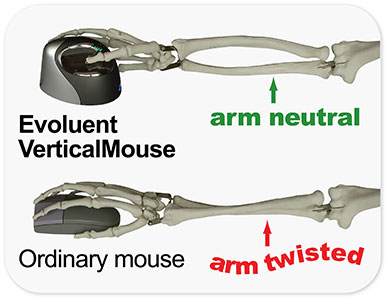
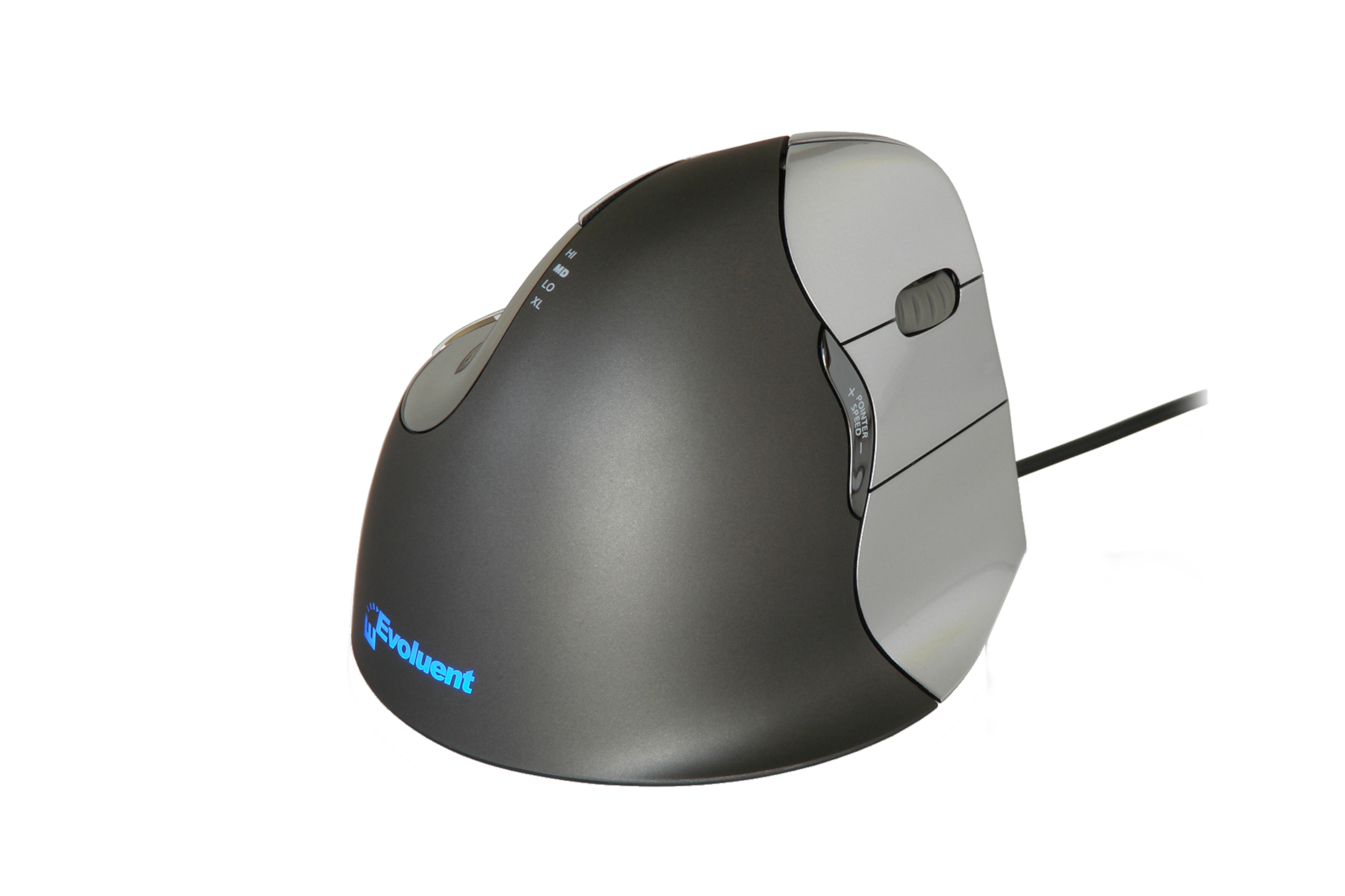
The mechanical logic is straightforward: gripping a flat mouse all day holds the forearm in sustained pronation and often pushes the wrist sideways into ulnar deviation. A vertical mouse removes both of those postures, which is why many long-term vertical mouse users report noticeably less forearm and shoulder tension.
Where it's worth tempering expectations: the research on vertical mice specifically reducing carpal tunnel pressure is mixed. A study by Schmid et al. found a vertical mouse significantly reduced ulnar deviation but didn't produce a significant drop in carpal tunnel pressure, and in some cases increased wrist extension instead — and a Cochrane review concluded there's currently insufficient evidence that ergonomic equipment alone resolves carpal tunnel syndrome. So a vertical mouse is best positioned as a genuinely useful posture correction for forearm twisting and ulnar deviation, and a common first recommendation for early-stage forearm and wrist discomfort — not a guaranteed fix for a diagnosed nerve compression on its own. Sizing also matters more than people expect: a Small in the wrong hand can reintroduce the same gripping problem it's meant to solve, which is why sizing across Small, Medium and Large (like the D Series offers) matters more than picking on looks alone.
Sculpted, whole-hand mice: for grip fatigue and sustained finger loading
Sculpted mice — such as the HandshoeMouse Original Large Wireless, HandshoeMouse Shift and the OrthoMouse — work on a completely different principle to vertical mice, even though all three get filed under "ergonomic." Instead of standing the hand up, these let the whole hand rest into a moulded shape — no gripping the sides, no curling the fingers to hold the shell in place.
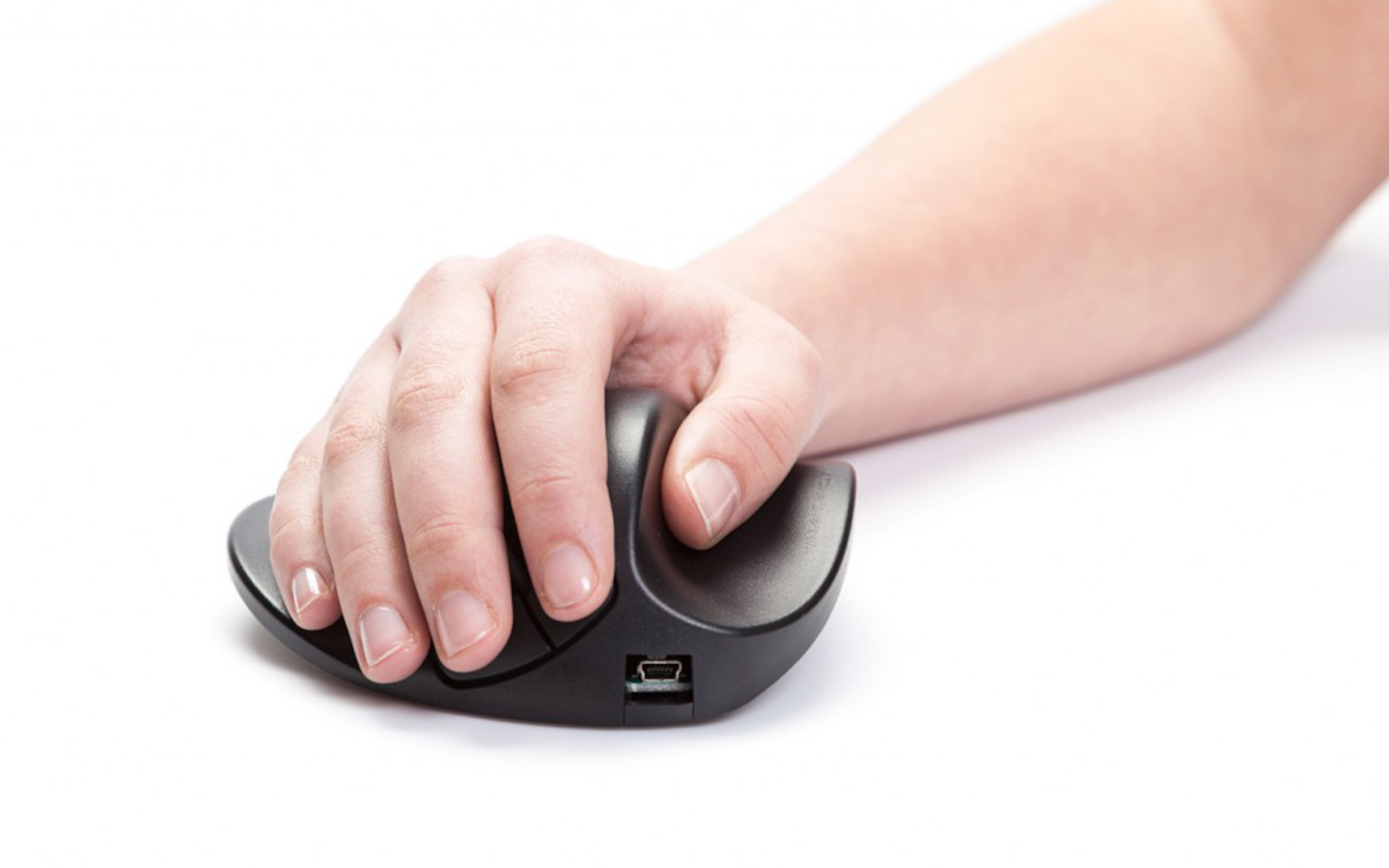
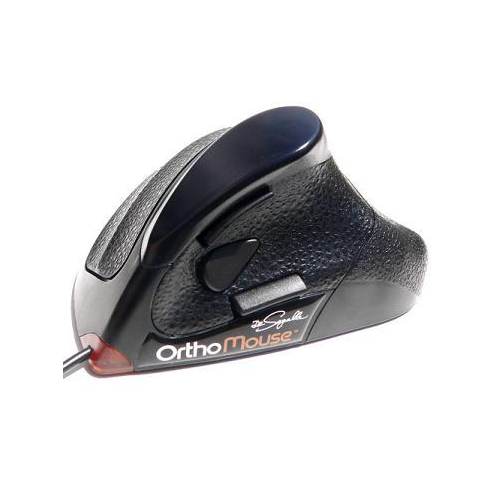
The OrthoMouse takes a related idea from a different angle: designed by an orthopaedic surgeon around the hand's resting anatomy, it ships with 3 prolongers and 2 upper adaptors — 6 fit combinations in total — so the fingers land where they'd naturally fall rather than where a fixed shell forces them.
This matters for a different group of presentations: general hand and finger fatigue, sustained-grip discomfort, and anyone who "death-grips" a standard mouse without realising it. Because the hand is fully supported rather than gripping, the sustained low-level muscle activity in the fingers and thumb drops off, which is a genuinely different mechanism to what a vertical mouse addresses.
HandshoeMouse Shift adds one more clinically useful feature: it's genuinely ambidextrous, switching between left and right hand in seconds via a switch on the base. Alternating the hand used for mousing through the day is a legitimate load-distribution strategy — it doesn't reduce total repetitive strain, but it spreads it across both limbs instead of concentrating it in one, which is worth considering for anyone doing high mouse-hours daily, or for shared workstations where left- and right-handed staff use the same desk.
Centred (roller) mice: for reach, shoulder and neck strain
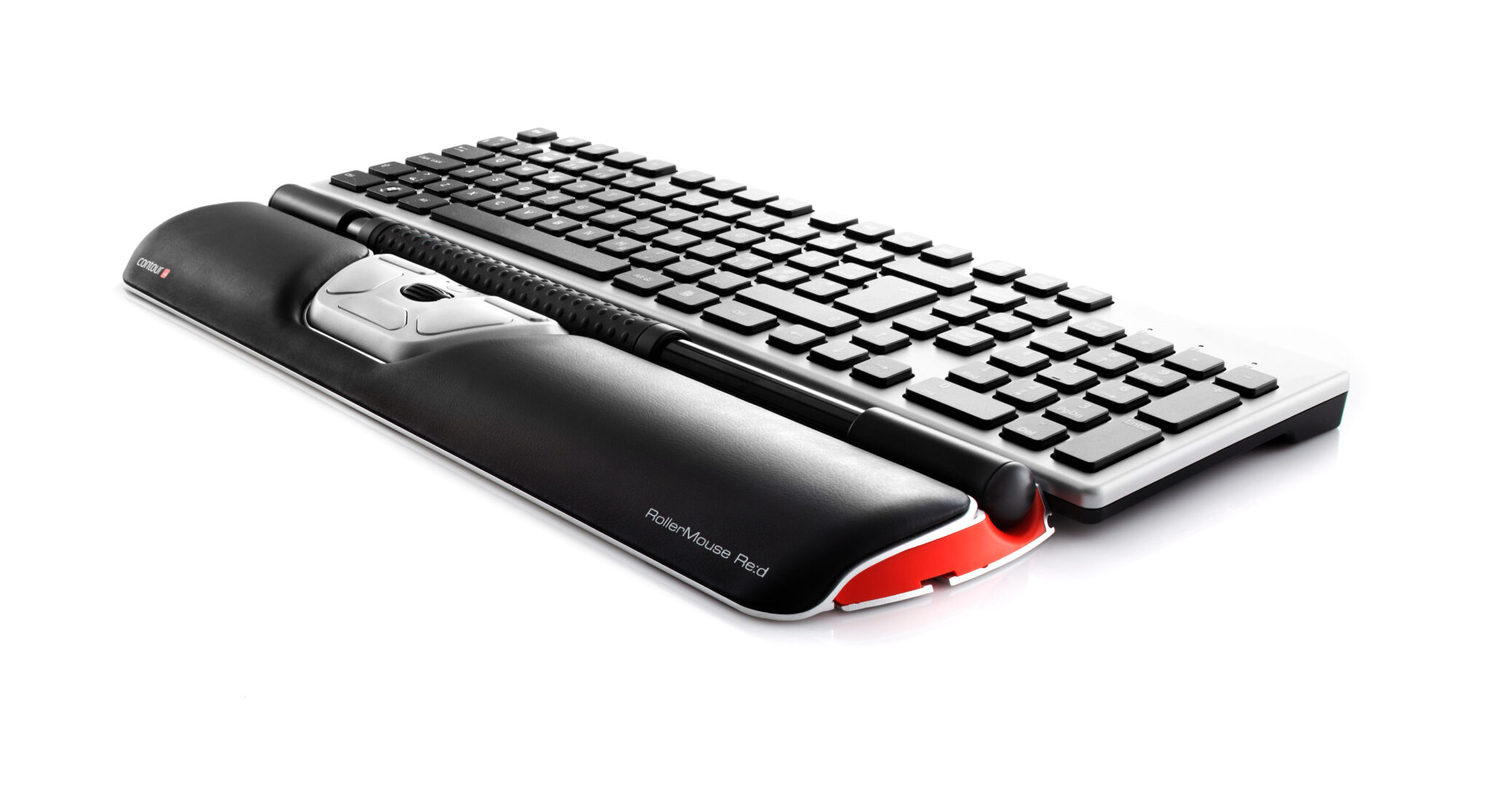
Centred mice — including the Contour RollerMouse Red, Free3, Pro3 and Red Plus — take a different approach again: instead of changing the shape of the mouse, they remove the reach entirely. A roller bar sits directly in front of the keyboard, operated with either hand without lifting off the home row, so the arm never travels sideways away from the body.

This is where the evidence is strongest and most specific. A 2015 study out of Harvard School of Public Health and Northeastern University (Lin, Dennerlein et al., published in Applied Ergonomics) used motion capture and EMG to compare the RollerMouse against a conventional mouse, a trackball and a touchpad, and found it produced the most neutral hand and wrist posture of the group, with significantly lower forearm extensor muscle activity than a standard mouse. Removing lateral reach is also the single biggest lever for shoulder and neck symptoms — reach and sustained shoulder elevation are consistently implicated in mouse-related shoulder tension, and a centred device removes that movement altogether rather than just changing the grip.
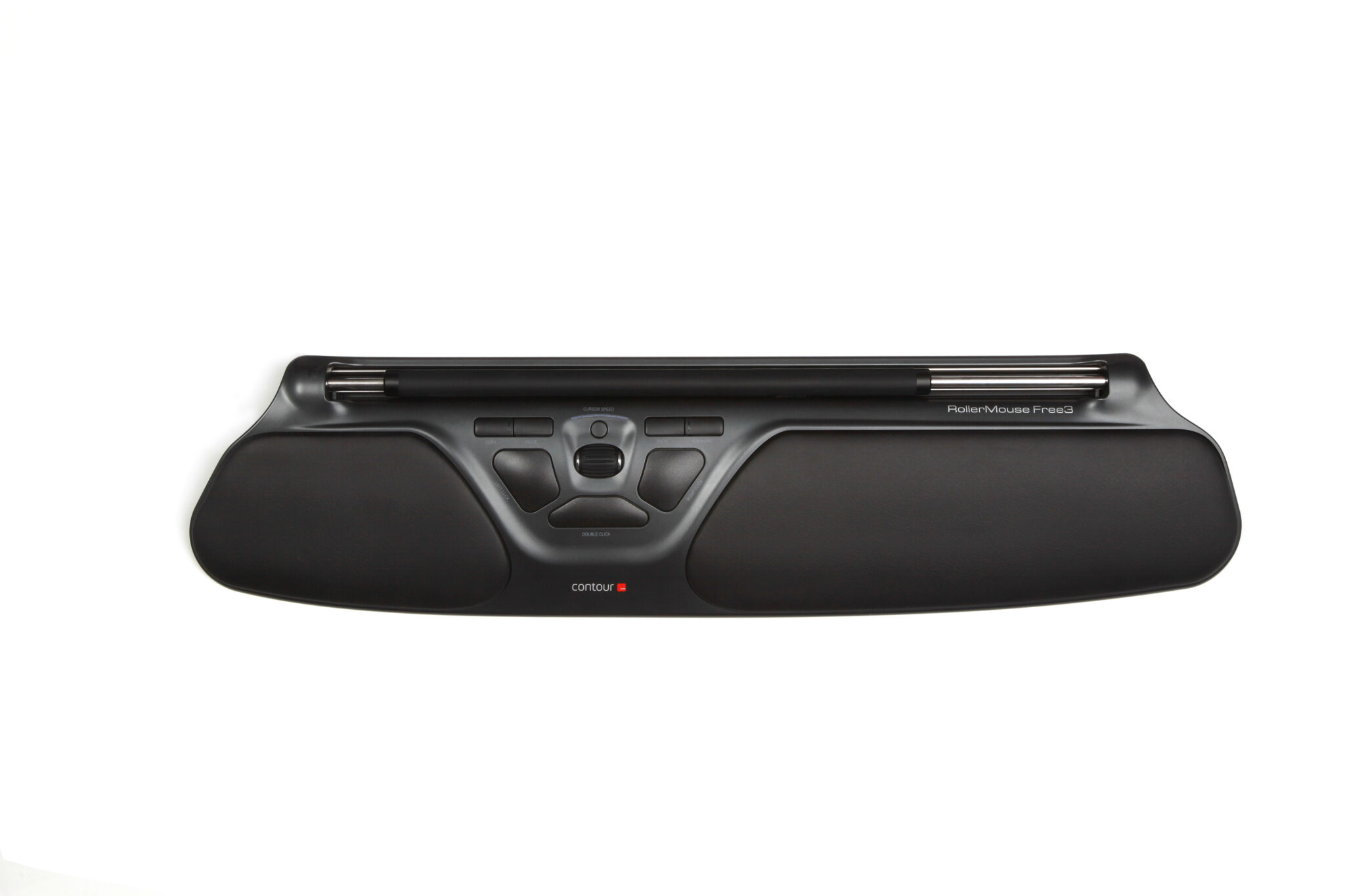
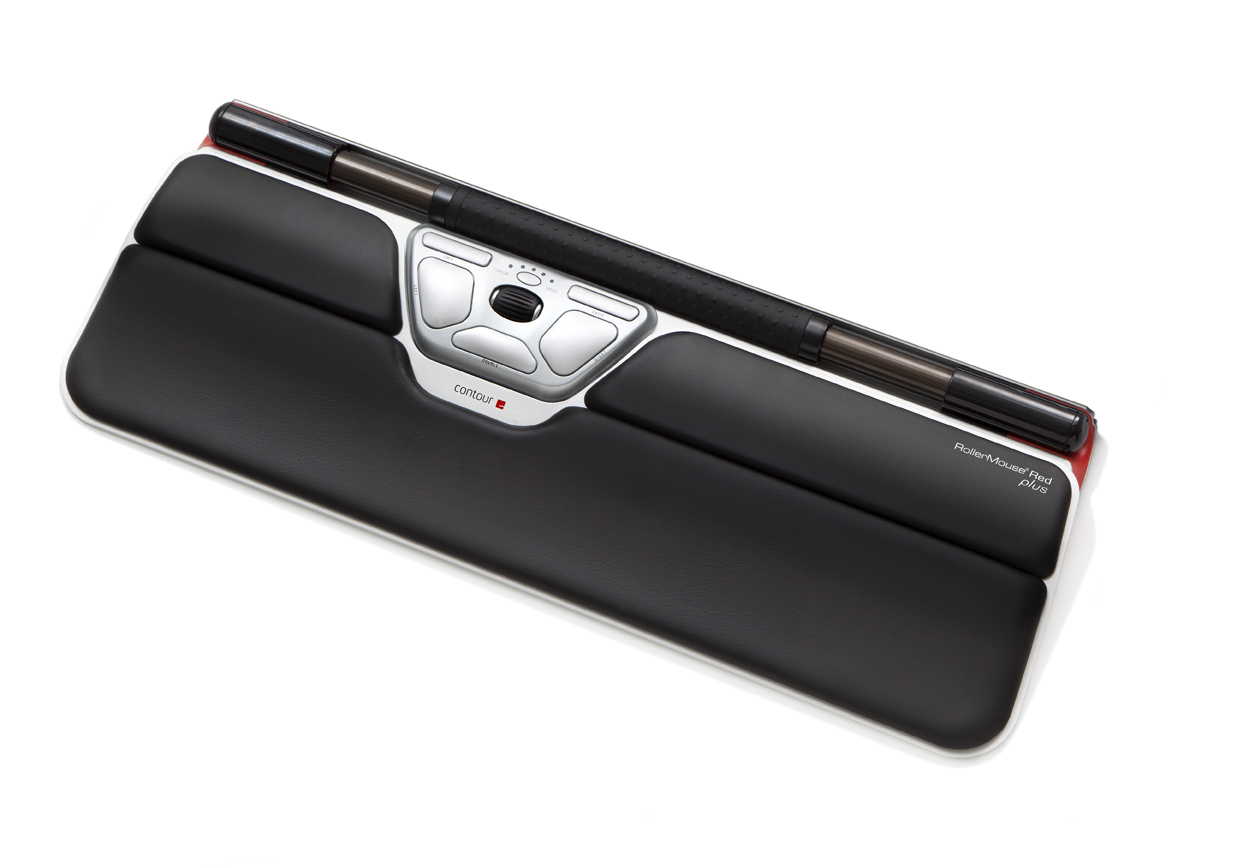
This family tends to suit shoulder and neck-dominant presentations best, and anyone keyboard-heavy through the day, since the roller sits right where the hands already are. It's also frequently recommended for De Quervain's tenosynovitis specifically, because there's no repetitive thumb gripping or lateral reaching involved at all. The differences between the four models come down to hand size and use case: Free3 is a lower-profile, wired-only option for medium-to-large hands; Pro3 is built wide for full-size keyboards with an adjustable click-force slider for anyone sensitive to click impact; Red is the standard wired-or-wireless option; and Red Plus adds an extended palm support for larger hands and longer fingers.
Adjustable-angle mice: for graded change and uncertain presentations
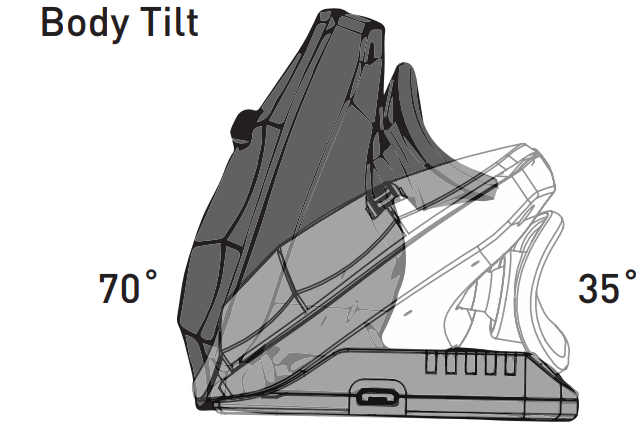
The Contour Unimouse (35°–70° body tilt, Articulating Thumb Support, left or right hand, wired or wireless) and the Oyster Mouse (five angle settings, ambidextrous) sit deliberately between a standard flat mouse and a full vertical mouse.
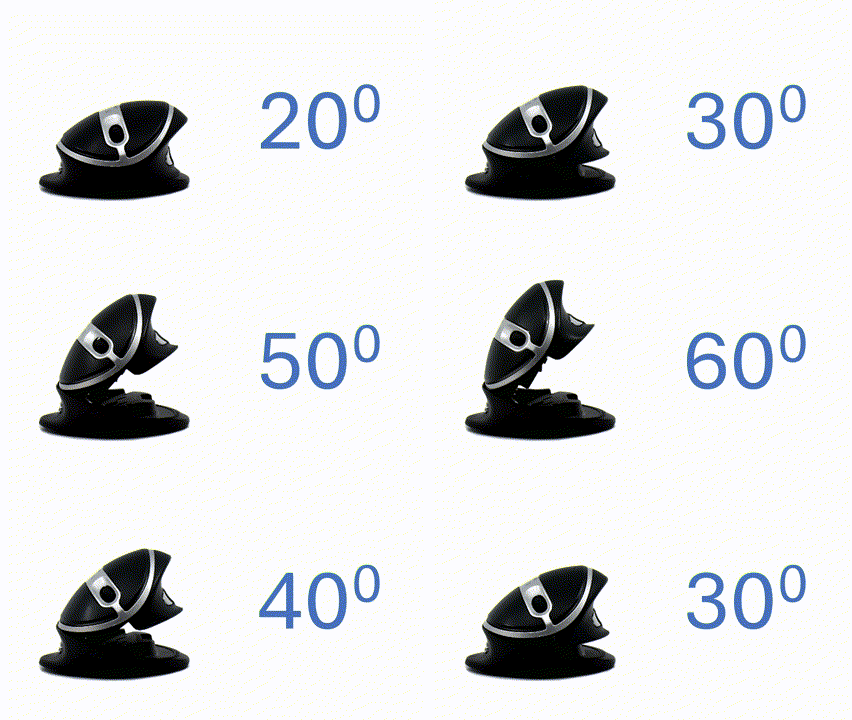
This category earns its place for a specific clinical reason: not every person tolerates a big postural change straight away, and symptoms don't always point clearly to one mechanism. An adjustable-angle mouse allows starting close to a flat, familiar position and increasing the tilt gradually as it's tolerated — a graded-exposure approach rather than an all-or-nothing switch. It's a sensible middle step after a fixed vertical mouse has proven too aggressive a change, for fluctuating or unclear symptoms where it's not yet obvious whether reduced pronation actually helps, or for shared desks where different users want different angles from the same device. Unimouse's Articulating Thumb Support is also worth calling out on its own — it moves with the hand rather than sitting fixed, which reduces sustained thumb-side loading in a similar way to a centred mouse, without needing to change the whole device.
Matching mouse type to presentation
None of this replaces an individual assessment — hand size, existing diagnosis, desk setup and job demands all change the answer — but as a general starting framework, this is roughly how the four types map to common presentations:
| Presentation | Mechanism to address | Mouse type to start with |
|---|---|---|
| Forearm/wrist discomfort, early-stage, no diagnosis | Forearm pronation, ulnar deviation | Vertical mouse (Evoluent VM4 / D Series) |
| Diagnosed carpal tunnel syndrome | Median nerve compression — evidence for equipment alone is mixed | Vertical or adjustable-angle mouse, alongside broader workstation review — not a standalone fix |
| De Quervain's tenosynovitis (thumb-side pain) | Repetitive thumb gripping and lateral reach | Centred/roller mouse (RollerMouse range), or a mouse with thumb support (Unimouse ATS) |
| Lateral epicondylitis (tennis elbow) | Forearm twisting and extensor loading | Vertical mouse, or centred/roller mouse |
| Shoulder and neck tension | Lateral reach, sustained shoulder elevation | Centred/roller mouse (RollerMouse range) |
| General hand/finger fatigue, reduced grip tolerance | Sustained gripping and finger flexion | Sculpted, whole-hand mouse (HandshoeMouse or OrthoMouse) |
| Shared workstation, left- and right-handed users | Consistent fit across users | HandshoeMouse Shift or Oyster Mouse (both ambidextrous) |
| Unsure what will help, or sensitive to change | Need for graded, adjustable exposure | Adjustable-angle mouse (Unimouse / Oyster Mouse) |
That's exactly the kind of question a hands-on fit assessment with an occupational therapist can answer more reliably than any article, this one included.
Further reading
- A vertical mouse and ergonomic mouse pads alter wrist position but do not reduce carpal tunnel pressure in patients with carpal tunnel syndrome
- Carpal tunnel syndrome and the use of computer mouse and keyboard: A systematic review
- Evaluation of flat, angled, and vertical computer mice and their effects on wrist posture, pointing performance, and preference
- The Right Ergonomic Mouse for De Quervain's Tenosynovitis
- Best Ergonomic Mouse: Match the Design to Your Pain