
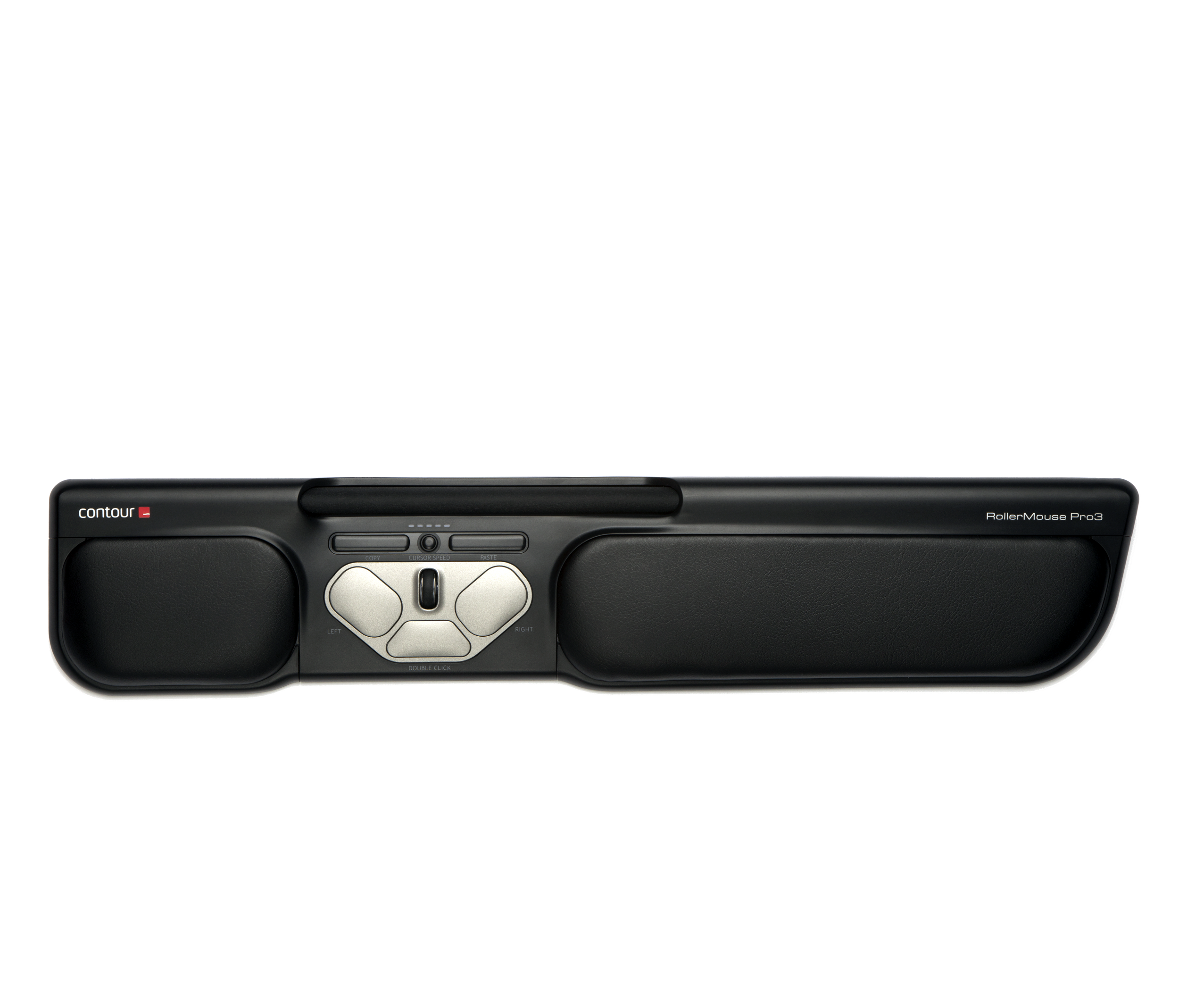
Contour RollerMouse Pro3
$575.00
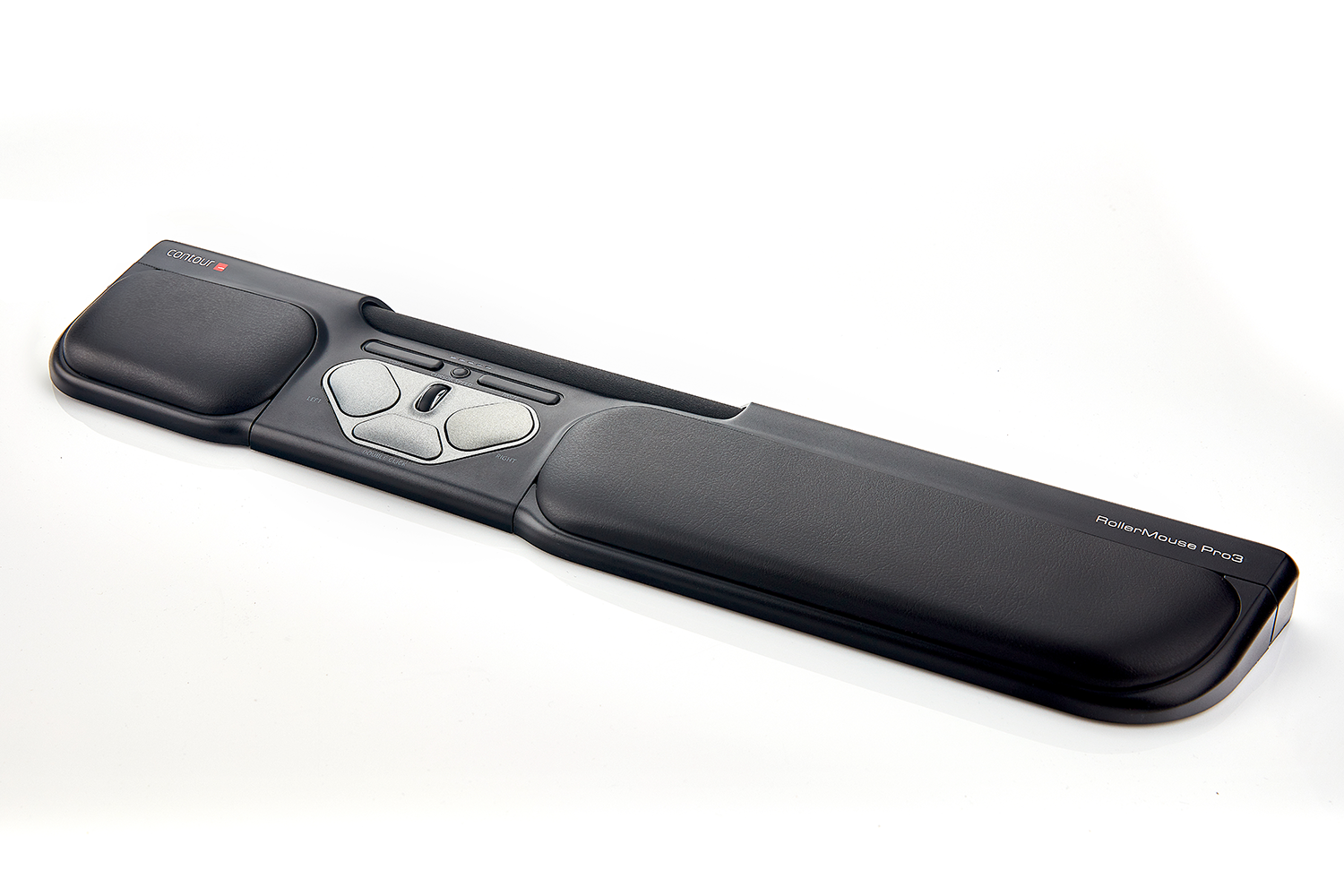
RollerMouse Pro3 is an update to the original ergonomic mouse alternative designed for you, not your computer. A central mouse eliminates the need to reach for the mouse, reducing stress from your neck to your fingers. RollerMouse Pro3 allows you to work safer, faster, and more comfortably.
Description
RollerMouse Pro3
Improved comfort and control. A modern update of the Pro2, built for demanding, repetitive tasks and anyone who spends long stretches of the day using a mouse.
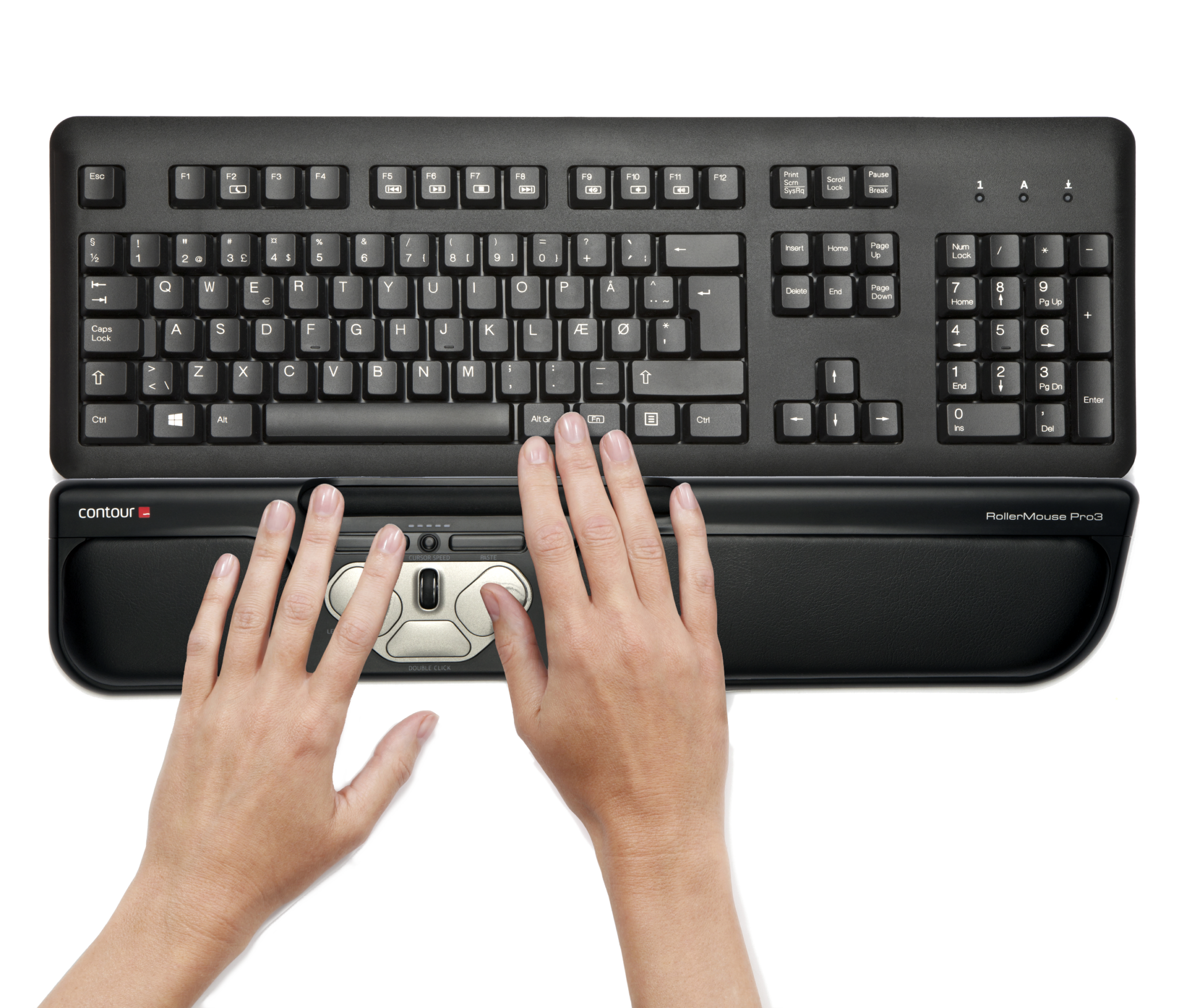
Positioned below your keyboard
Pro3 sits below your keyboard rather than off to one side, removing the need to reach for the mouse and lessening stress all the way from your neck to your fingers.
It’s wide enough to suit standard and full-size keyboards, so it fits comfortably under most desk setups rather than forcing you onto a smaller board.
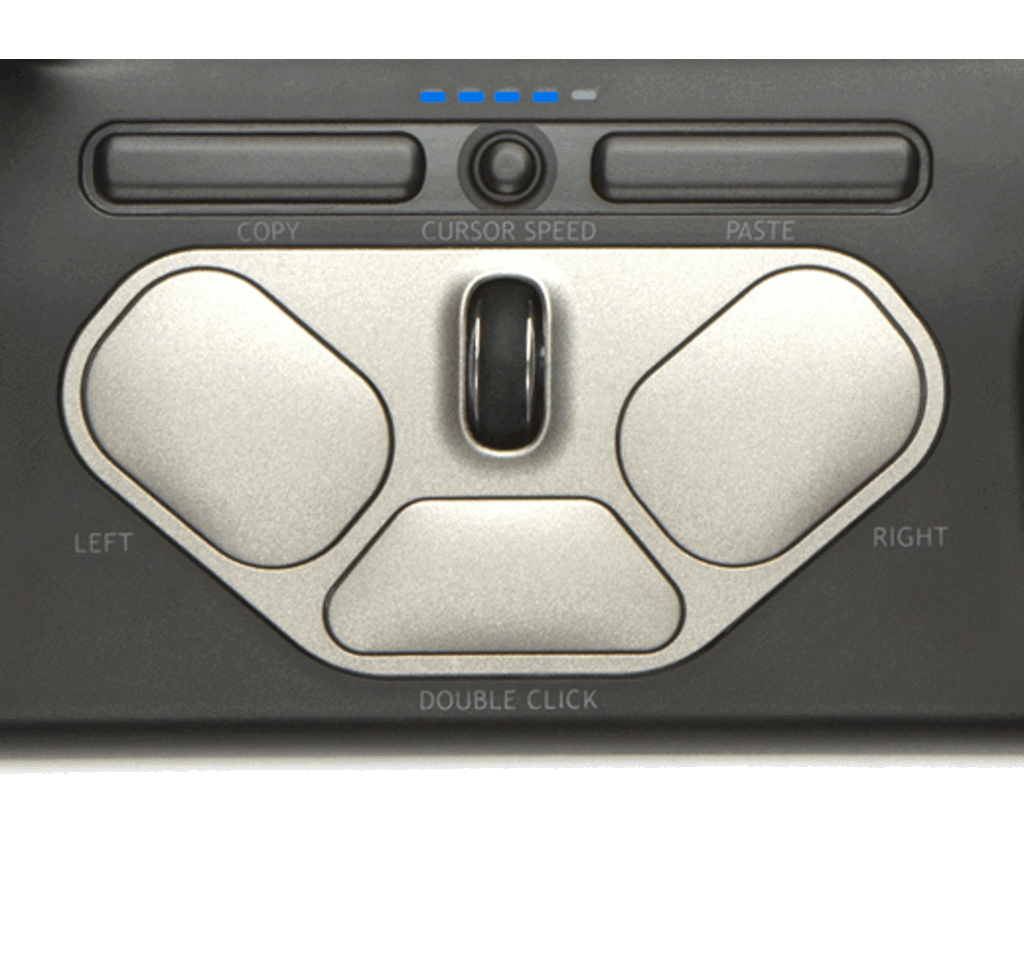
Ten cursor speeds, colour-coded
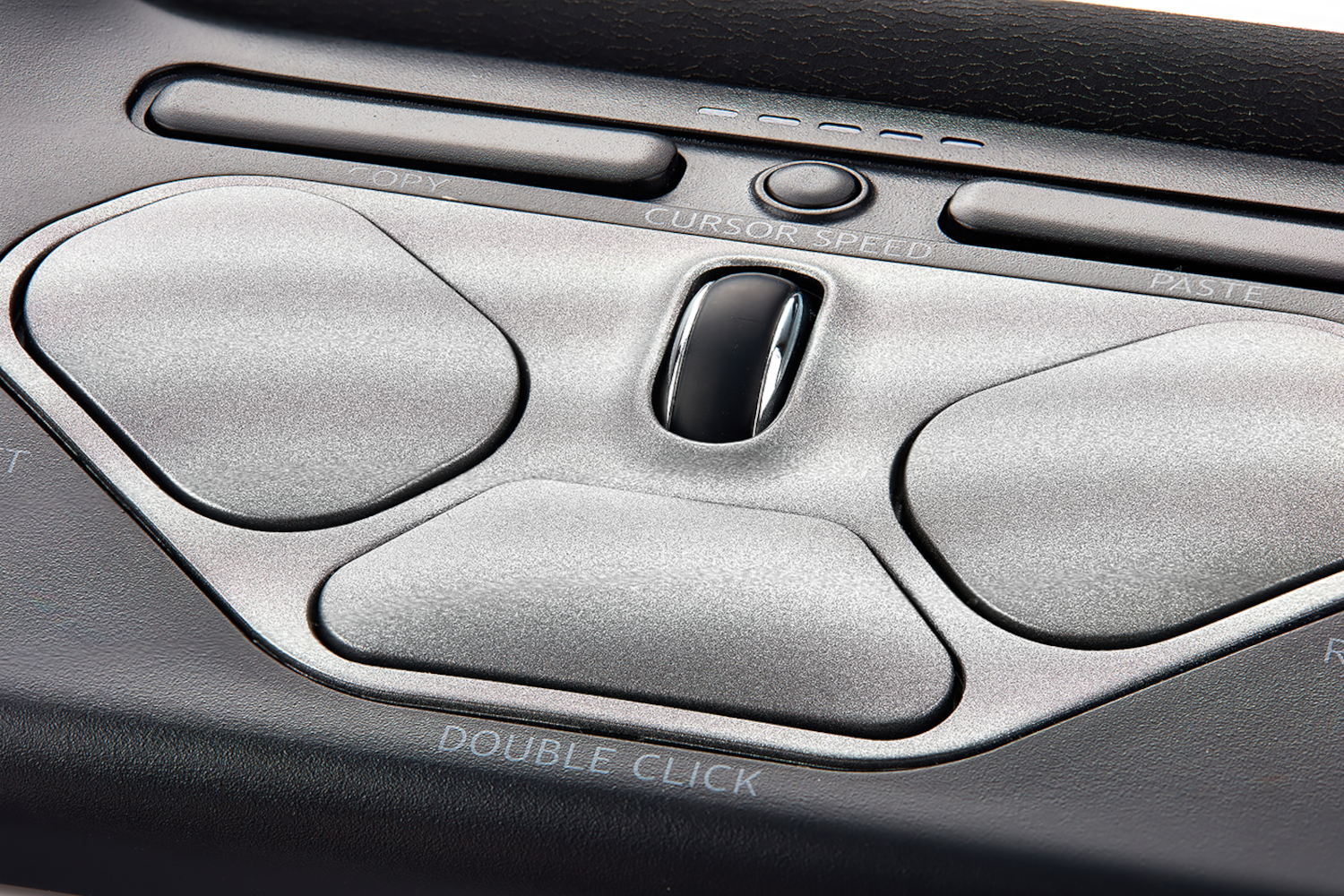
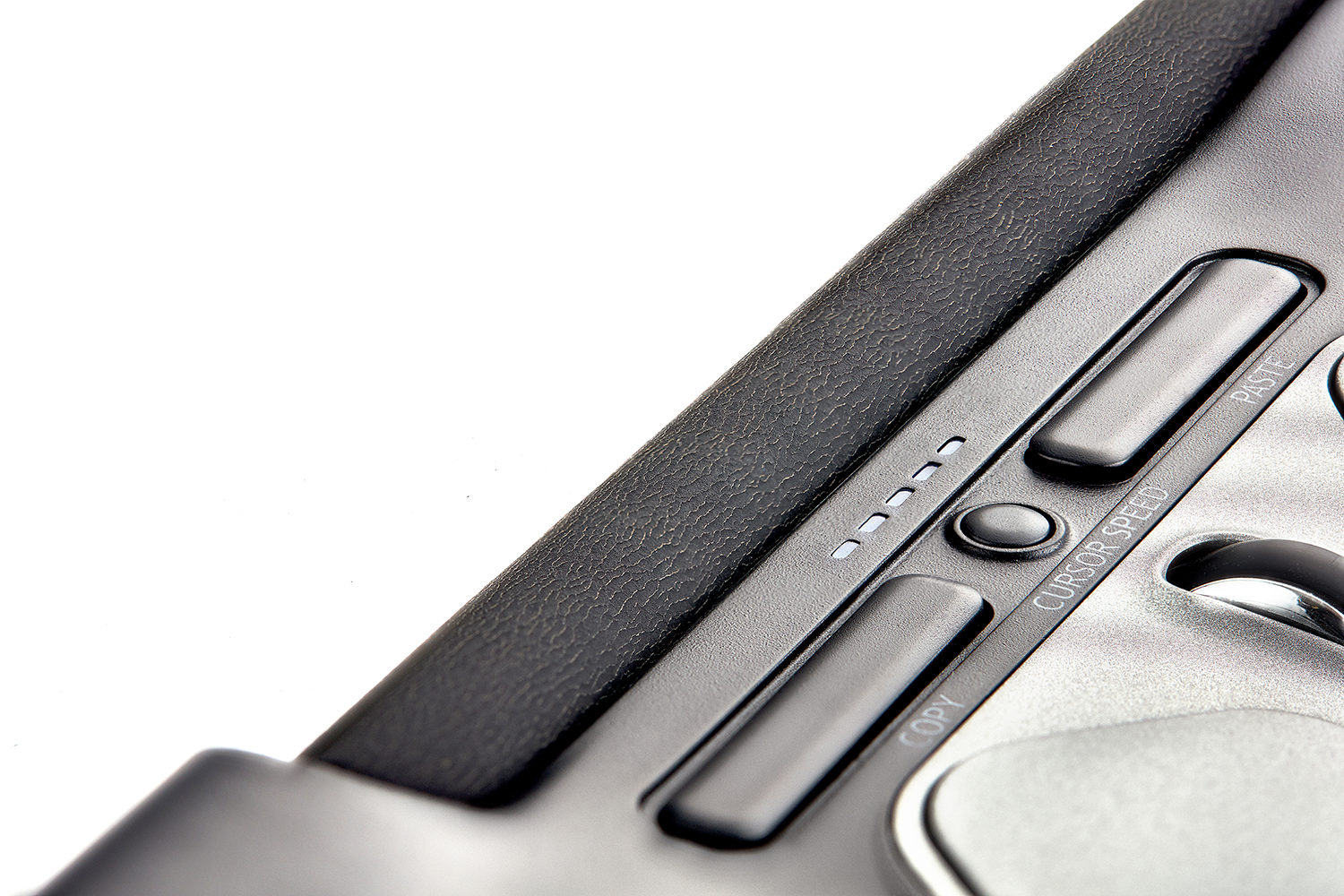
A dedicated button steps through ten cursor speeds, with a coloured light showing exactly which speed you’re on — no guesswork mid-task.
A slider switch underneath also lets you adjust how much force the rollerbar needs to register a click, so it can be tuned to a lighter or firmer touch.
What’s built in
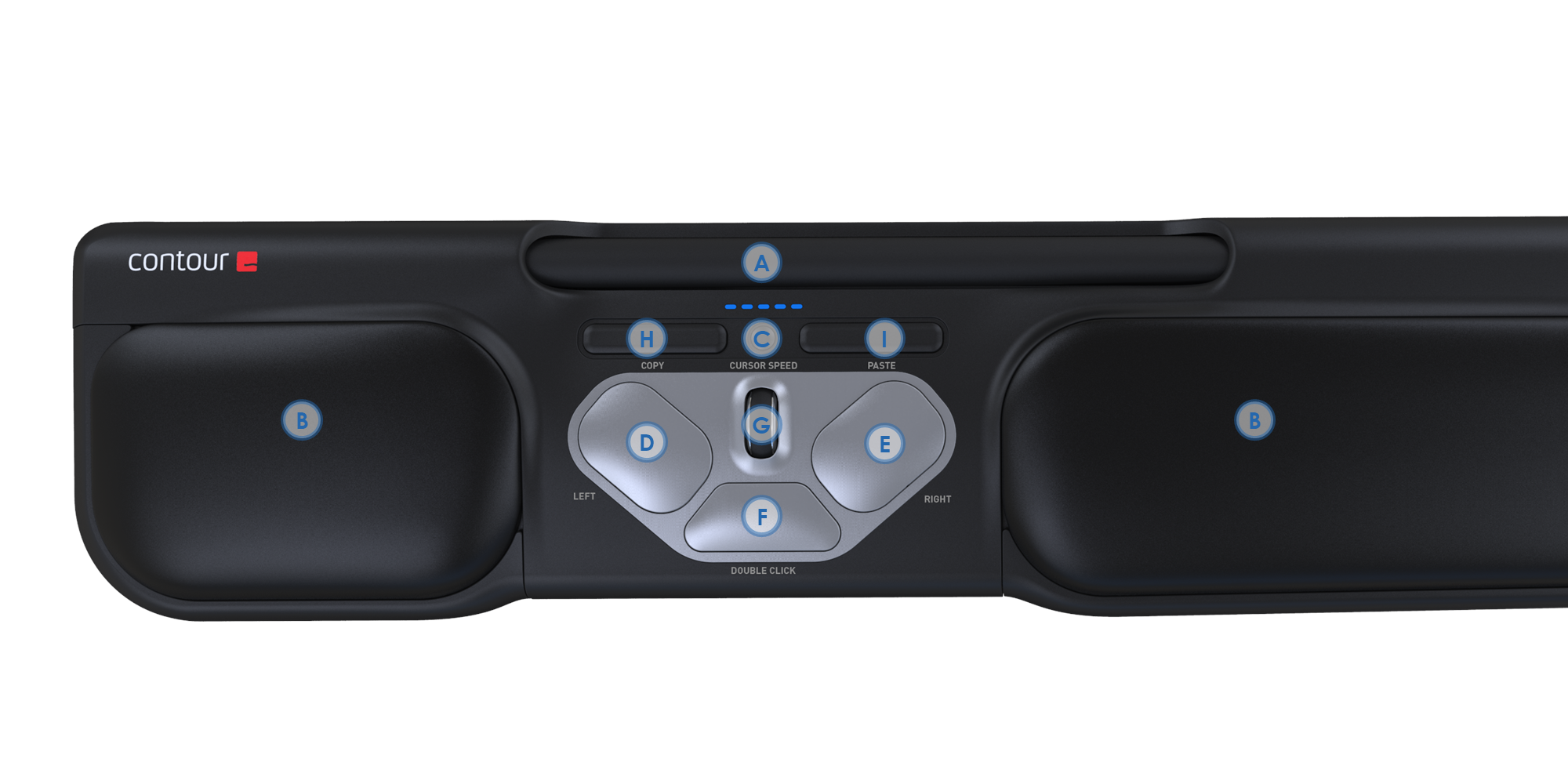
- Rollerbar for cursor movement — roll up, down and sideways, press down to left click
- Premium leatherette palm supports running the full length of the unit
- 10-step cursor speed adjustment, 600–2400 DPI, colour-coded indicator
- Seamless-glide scroll wheel
- One-touch double click
- Five pre-programmed centrally-located buttons — customisable via the Contour driver
- Dedicated copy and paste buttons
- Adjustable rollerbar click force via an underside slider switch
- Sturdier aluminium base for reduced slipping and added durability
- Keyboard risers insert at the back for a smooth transition from keyboard to unit
- USB plug-and-play — no drivers required to get started
See it in action
A quick look at how RollerMouse Pro3 works day to day.
Specifications
| Wired (RMP3) | |
|---|---|
| Width | 488 mm |
| Depth | 99 mm |
| Height | 29 mm |
| Rollerbar width | 167 mm |
| Rollerbar clickable | Yes |
| Adjustable bar click force | Yes |
| Sensor type | Optic |
| Cursor precision (DPI) | 600–2400 across 10 steps |
| Buttons | 8 total, including scroll wheel and rollerbar |
| Connection | USB cable, plug and play |
| Operating system | Windows, macOS |
| Warranty | 2 years against manufacturing defects. |
Specifications sourced from OPC Ergonomics’ official RollerMouse Pro3 product page and datasheet.
5 business days standard delivery.
Ask our in-store Occupational Therapy team if you’re unsure which mouse setup suits you.
No software required to get started — the Contour driver is only needed if you want to reprogram the buttons.
Common questions
How is this different from RollerMouse Red or Free3?
All three sit centrally rather than off to one side, but Pro3 sits below the keyboard and is built wide for standard and full-size keyboards. It also has an adjustable click force slider and a colour-coded cursor speed indicator that Red and Free3 don’t have. Like Free3, it’s wired only.
Will it fit under my keyboard?
It’s 488mm wide, which comfortably suits standard and full-size keyboards. Measure your desk depth and keyboard width before ordering if your setup is unusually compact.
Is it hard to get used to?
Most people adjust within a couple of days of regular use. It’s a different motion to a handheld mouse, so expect a short adjustment period rather than an instant switch.
Can I adjust how firm the click feels?
Yes — a slider switch on the underside of the unit adjusts the amount of force needed for the rollerbar to register a click, so you can set it lighter or firmer to suit your preference.
Do I need to install software?
No — it’s USB plug and play out of the box. The Contour driver is only needed if you want to reprogram the button functions from their defaults.
Does it come in a wireless version?
No — RollerMouse Pro3 is wired only (product code RMP3). If wireless is a priority, RollerMouse Red is available in both wired and wireless.
Additional information
| Weight | 1 kg |
|---|
Related products
-
Humanscale M2.1
$325.00Select options This product has multiple variants. The options may be chosen on the product page -
-
-
Reviews
There are no reviews yet.